Welcome to Prompt Generator

Get started with your AI prompt creation journey in just a few simple steps

Step 1

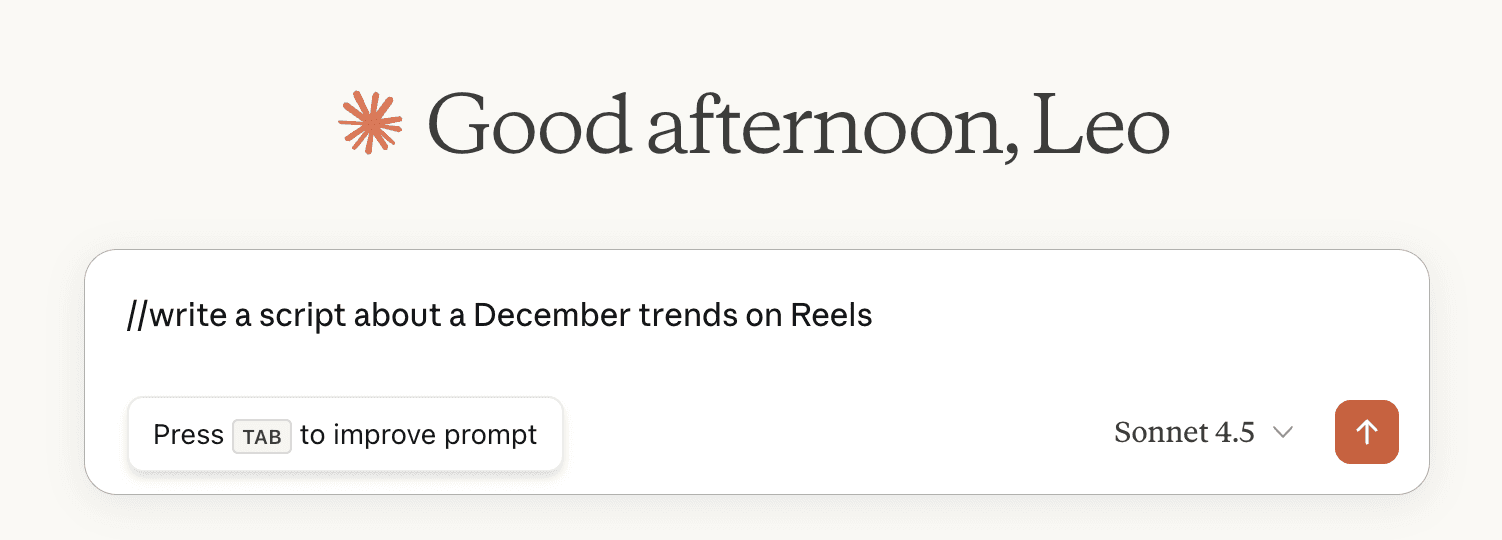
Refine Prompts Instantly

Type // followed by any draft text, then press Tab. AI will transform it into a professional prompt.

Try it now!
Step 1: AI Prompt Refinement
Example
Step 2

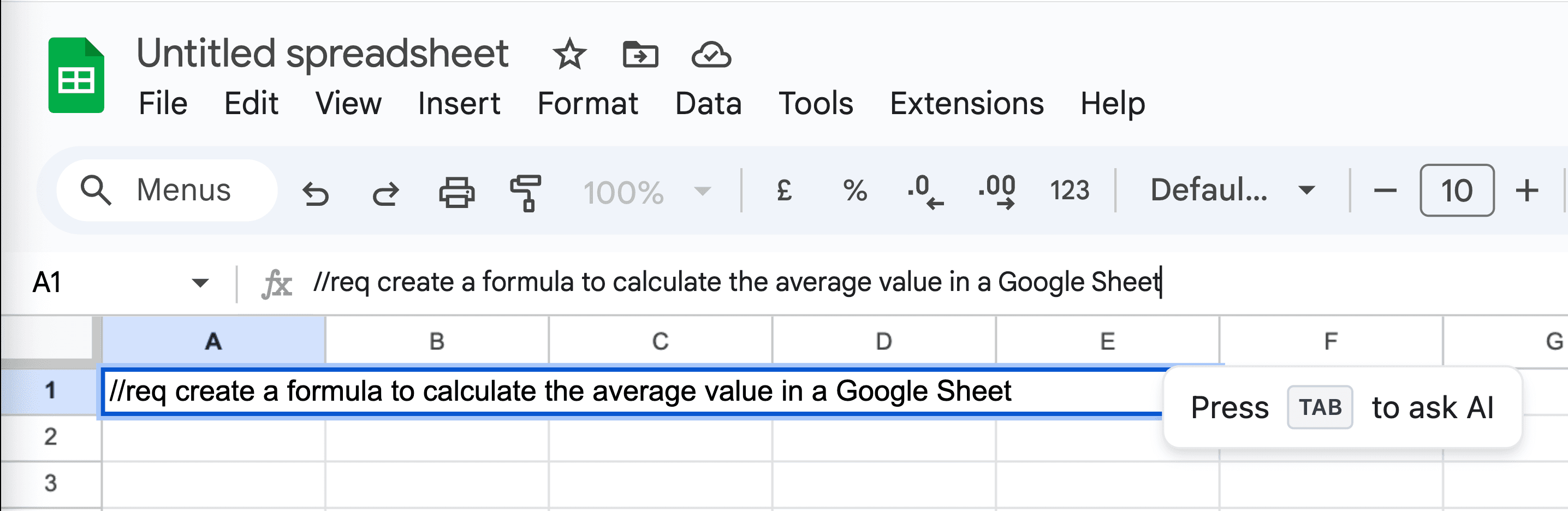
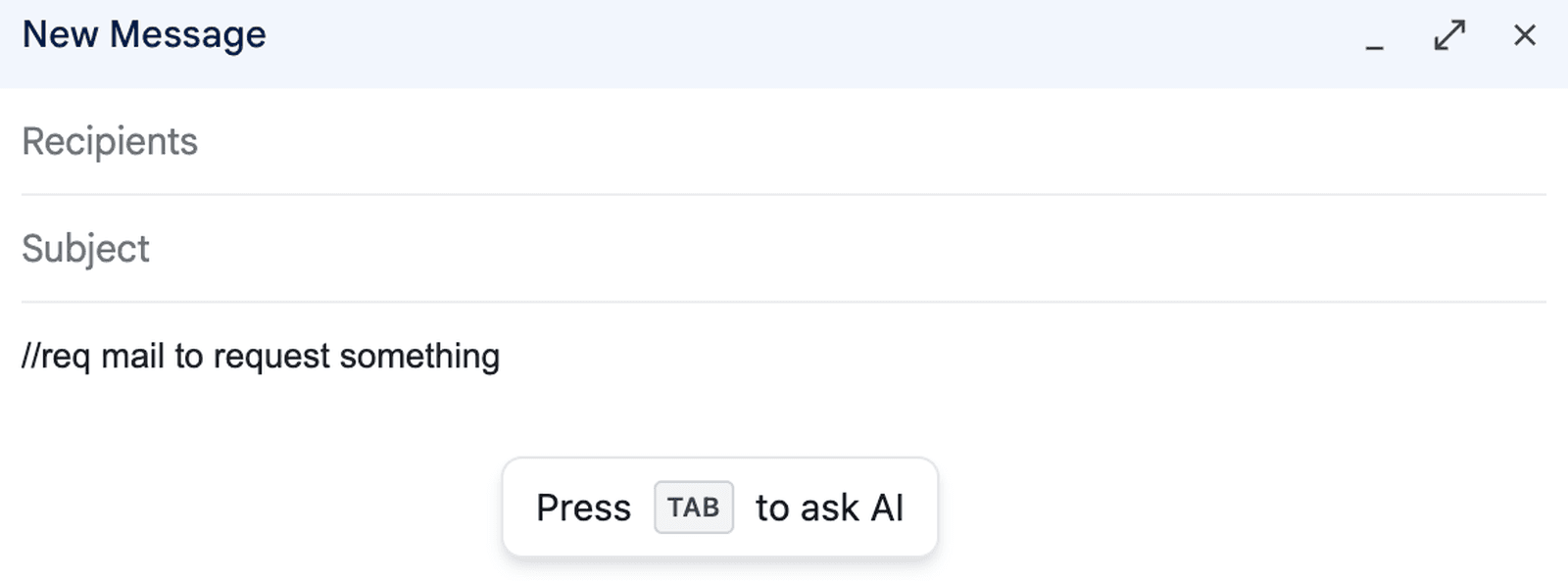
Ask AI Right Here

Use //req to get an AI response without switching to ChatGPT. Type your request and press Tab.

Try it now!
Step 2: Direct AI Request
Example
Step 3

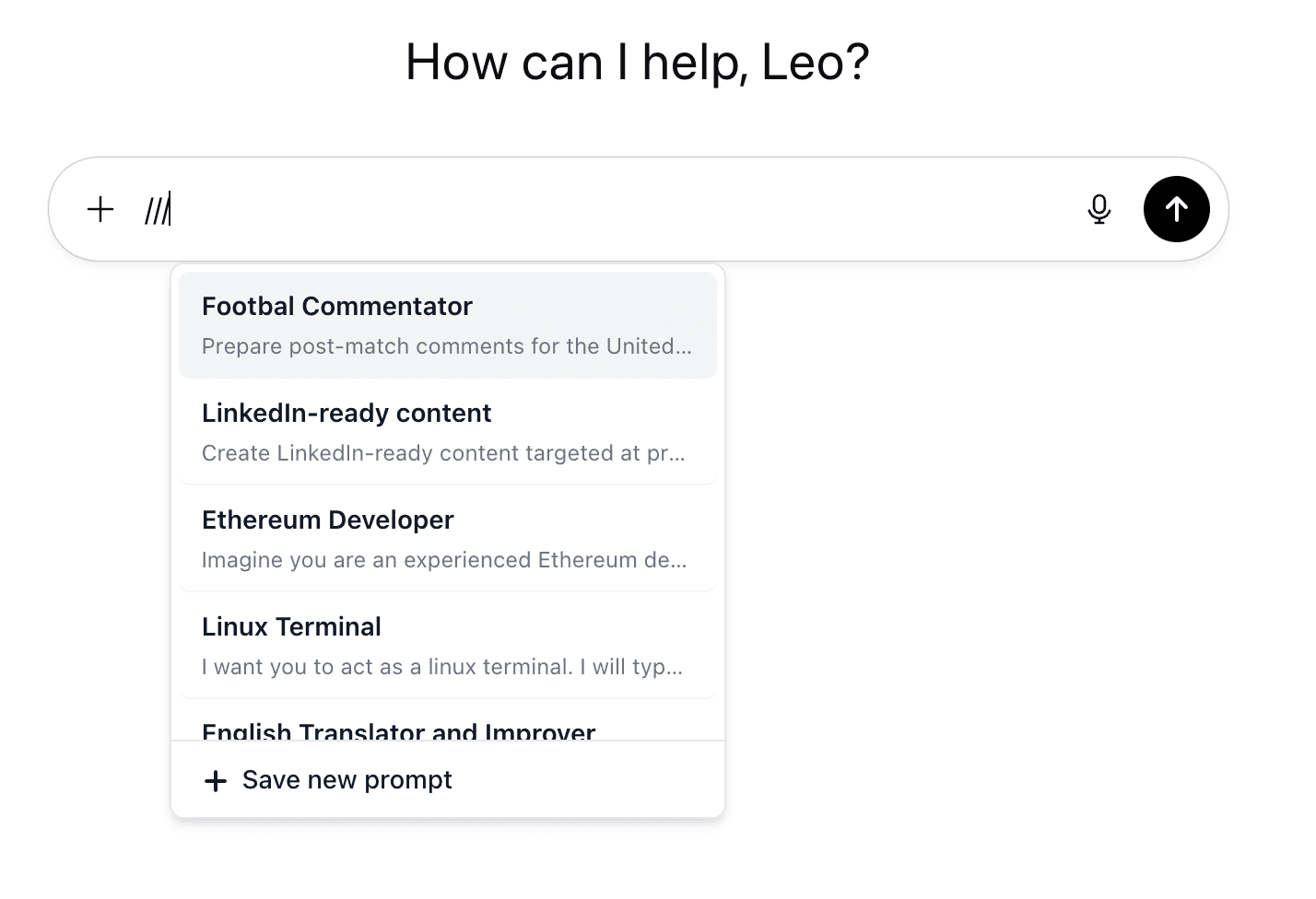
Your Prompt Library

Press /// to open your saved prompts menu. Select any to insert.

Try it now!
Step 3: Unified Library
Example
Step 4

Installation Check

Make sure the extension is installed from Chrome Web Store. If you haven't installed it yet, click the button below.

Step 4: Installation Check
Step 5

Open Side Panel

Click the extension icon to open the side panel and start creating prompts with AI assistance.

Step 5: Open Side Panel

What You Can Do

Improve Prompts

Transform any idea into a well-structured, effective prompt using AI

💾

Save to Library

Build your personal collection of effective prompts for future use

🤖

Get GPT Responses

Receive AI responses directly in the extension without leaving your browser

🔍

Search & Organize

Easily find and manage your saved prompts with search functionality

Ready to Get Started?

Install the extension and start creating better prompts today